
For Recognized Reviewers • October 2026
This guide walks you through using RR Wheel to manage your Recognized Reviewer claims, track fair market values, resolve stuck claim slots, and export audit-ready tax reports.
Before you start: Make sure you have completed your initial Walmart sync (Full Back-Fill) so your claims are loaded into your personal ledger at app.marketplacewheel.com.
1. Navigating Your Ledger
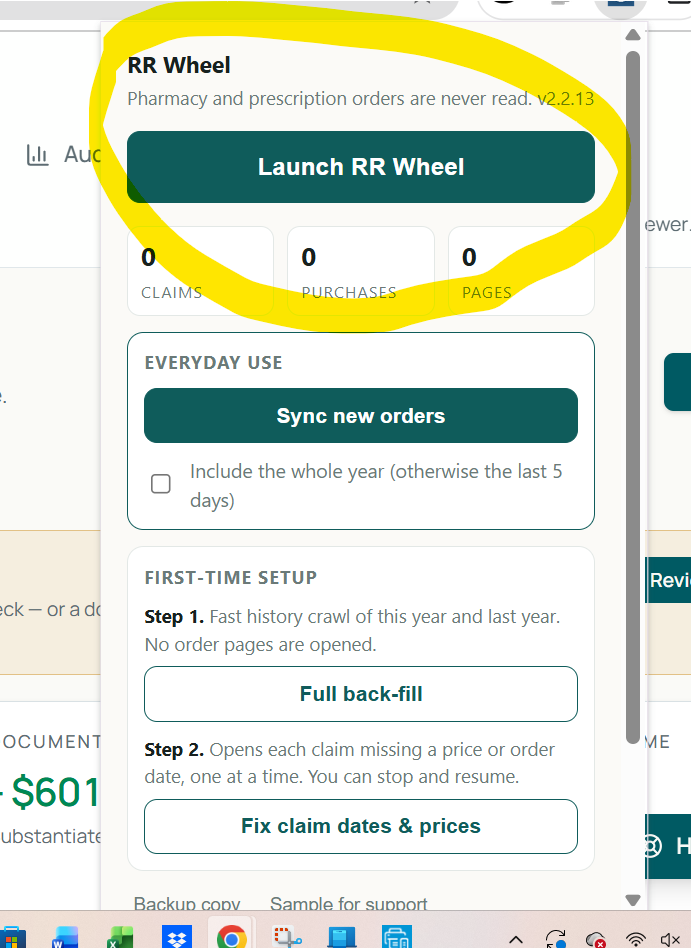
1. Open app.marketplacewheel.com in your browser (or click the RR Wheel extension badge in Chrome and click Launch RR Wheel). 2. Click the Ledger tab in the top navigation. 3. Every synced claim displays complete details:
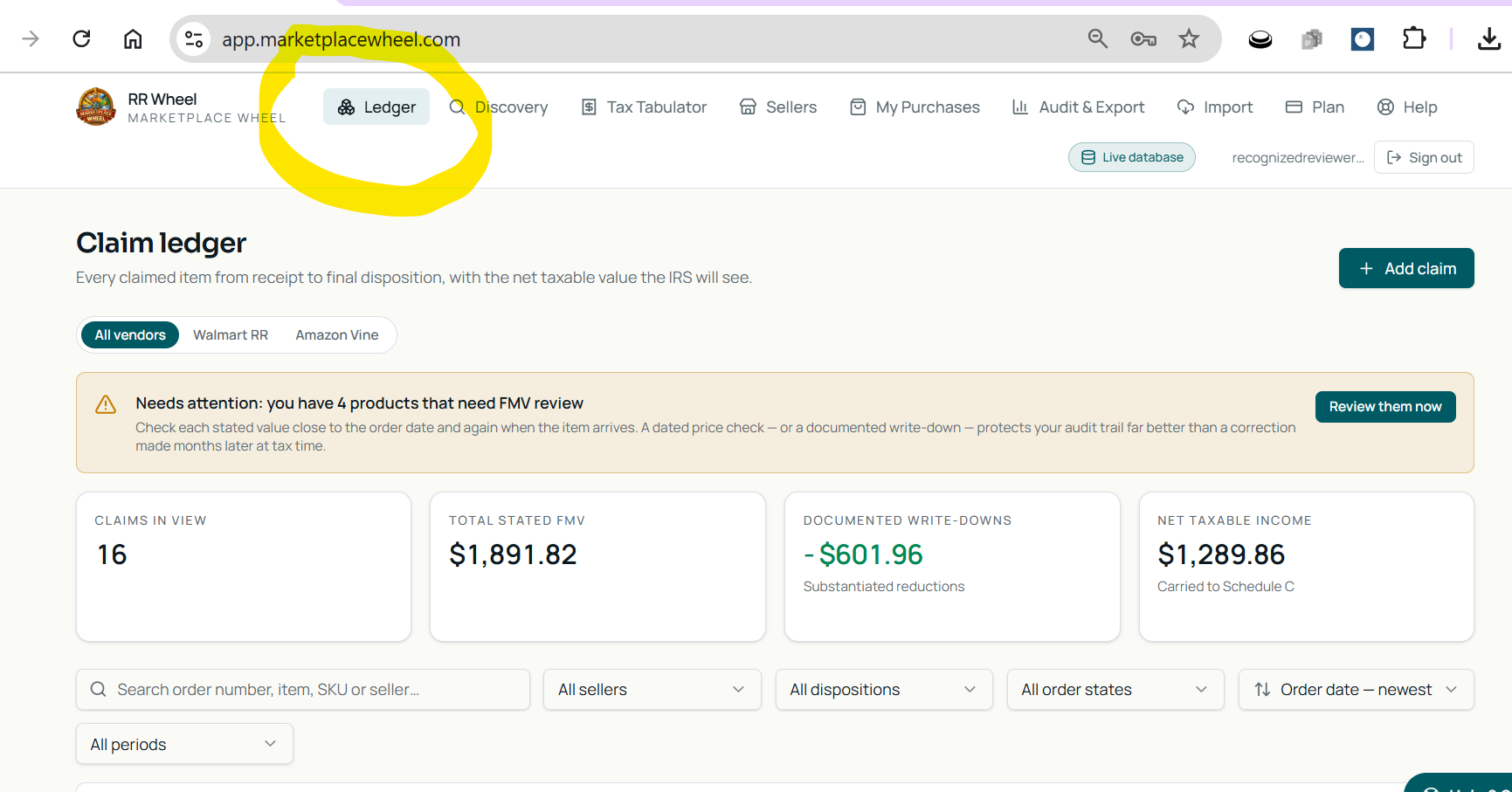
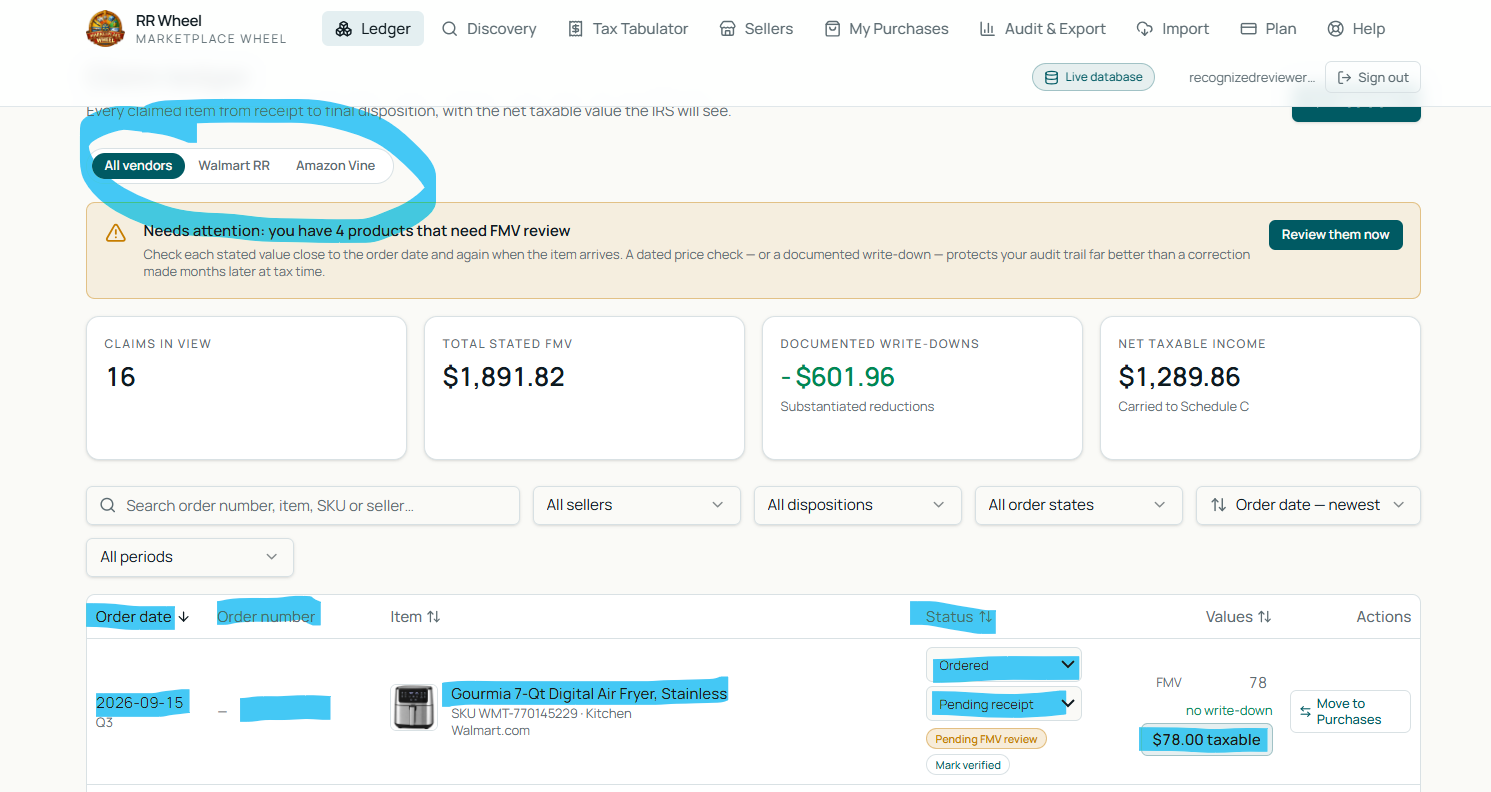
• Order Date & Claim Date: Exactly when the item was requested and processed.
• Order Number: Direct reference to your Walmart purchase history.
• Item Description & Photo: Clear retail photo and item title.
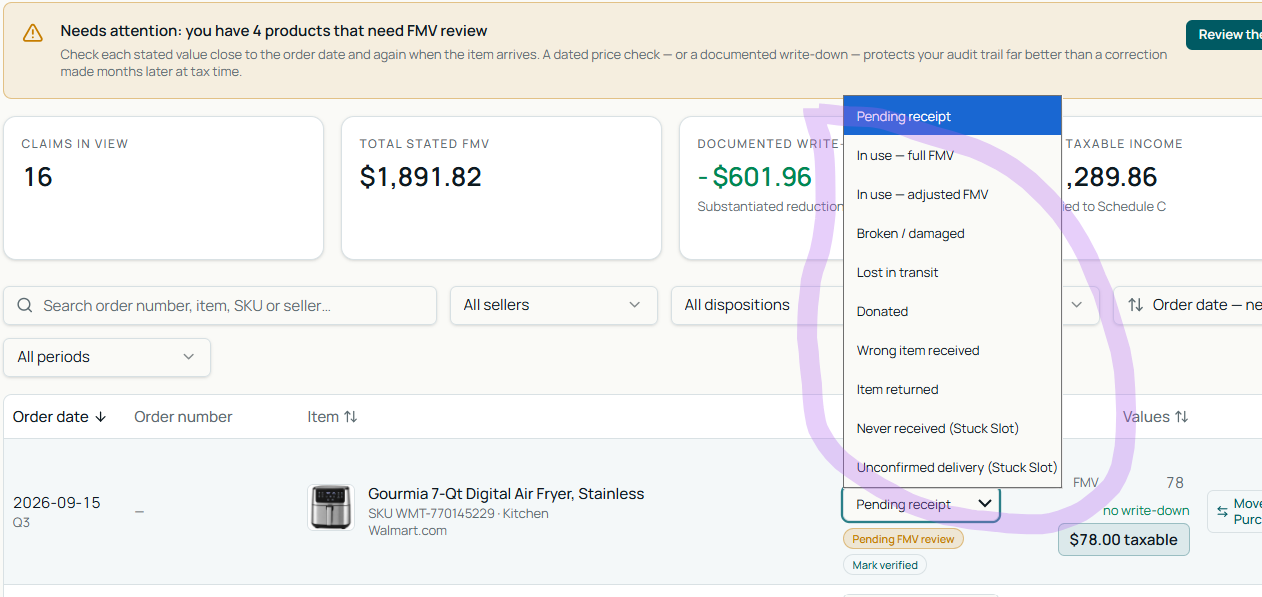
• Status: Delivery state (Delivered, Shipped / Pending receipt, or Stuck).
• Stated Value: The initial gross retail value reported by Walmart.
4. Program tabs: The Walmart tab is active by default. If you participate in other programs (such as Amazon Vine), separate tabs keep your records cleanly organized.
2. Tracking Delivery & Claim Status
• Pending receipt status: Items that have been claimed but are still in transit display as Shipped / Pending receipt.
• Tax timing rule: Items that haven't arrived remain marked as Pending Receipt in your RR Wheel ledger. RR Wheel uses delivery status to help organize records and calculate estimated totals. Consult your tax professional to determine when an item should be recognized as income.
3. Adjusting Fair Market Value (FMV) & Adding Comps
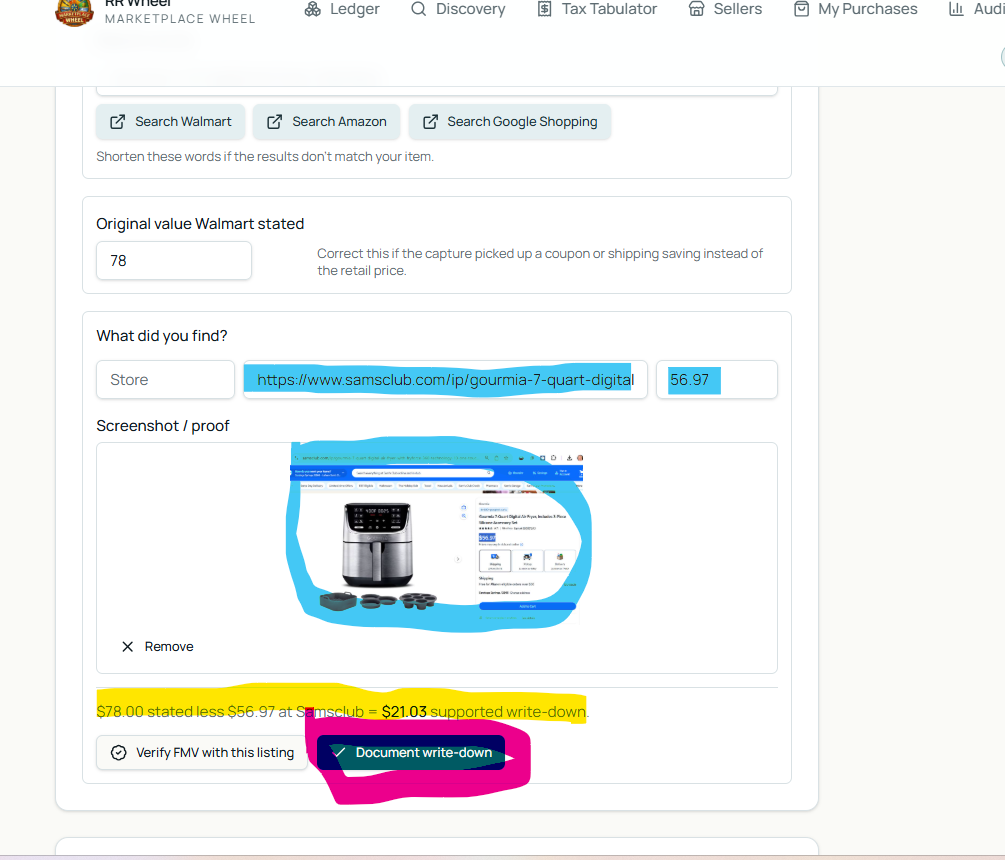
Stated retail prices on review platforms can be inflated, and items occasionally arrive damaged, defective, or open-box. RR Wheel helps you research, document, and maintain your own fair market value (FMV) assessments, including comparable prices and supporting evidence.
How to record a write-down:
1. Click any delivered claim row in your ledger to open its detail view.
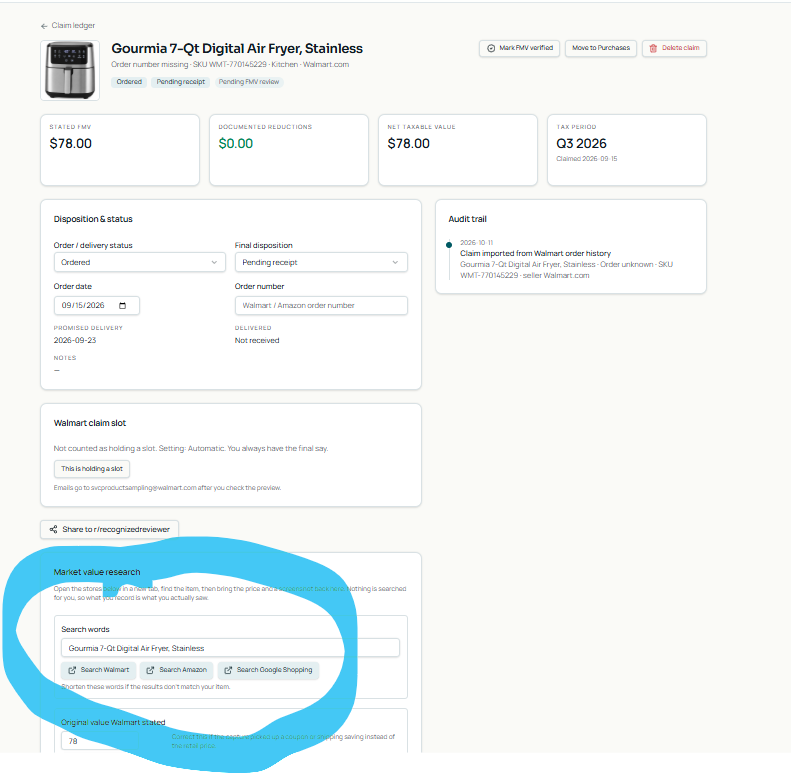
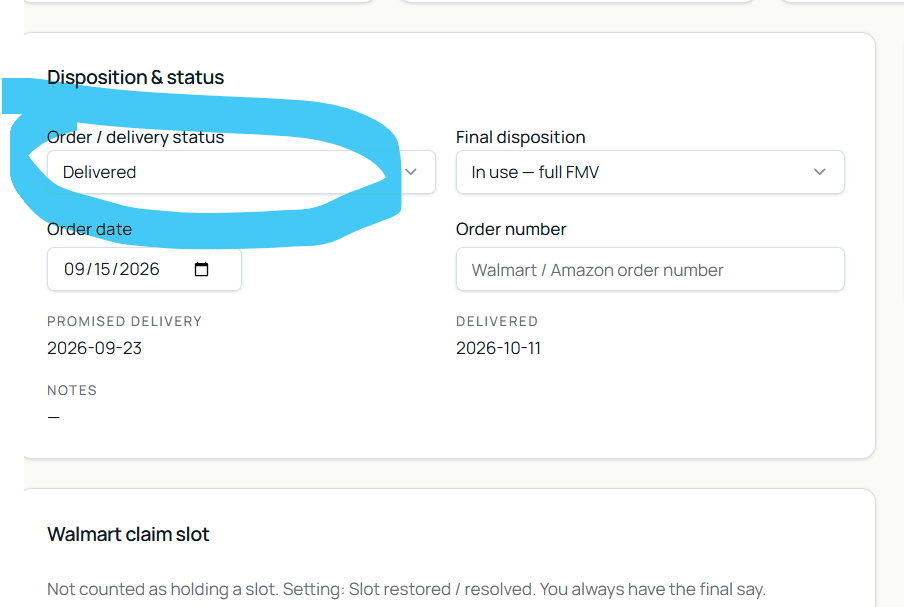
2. Select the preset search buttons for Walmart, Amazon or Google or search your own choices. 3. Update status to Delivered.
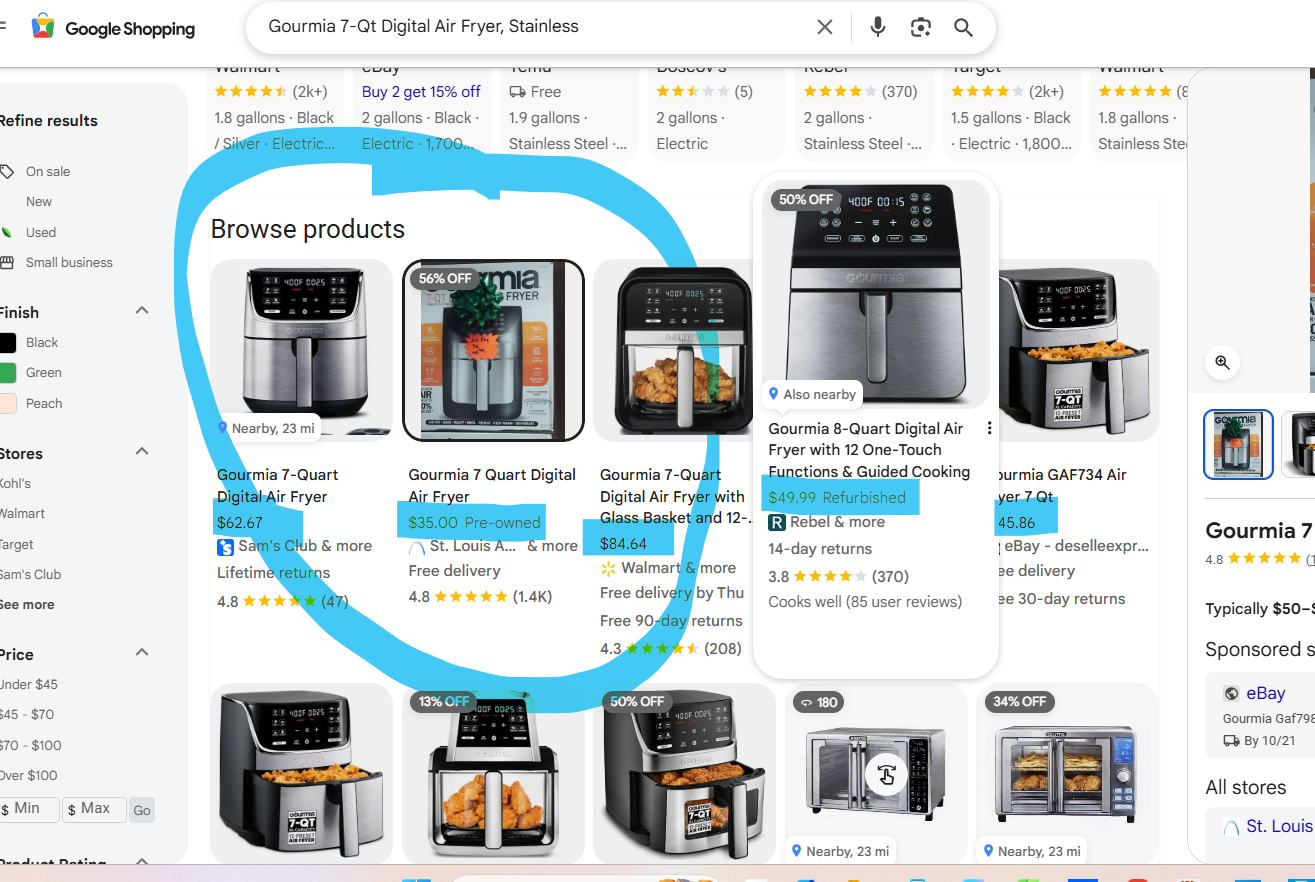
4. Enter comparable retail prices (comps) from other major retailers (such as Walmart, Amazon, Target, Best Buy, Temp, Shein, etc..or verified sold listings).
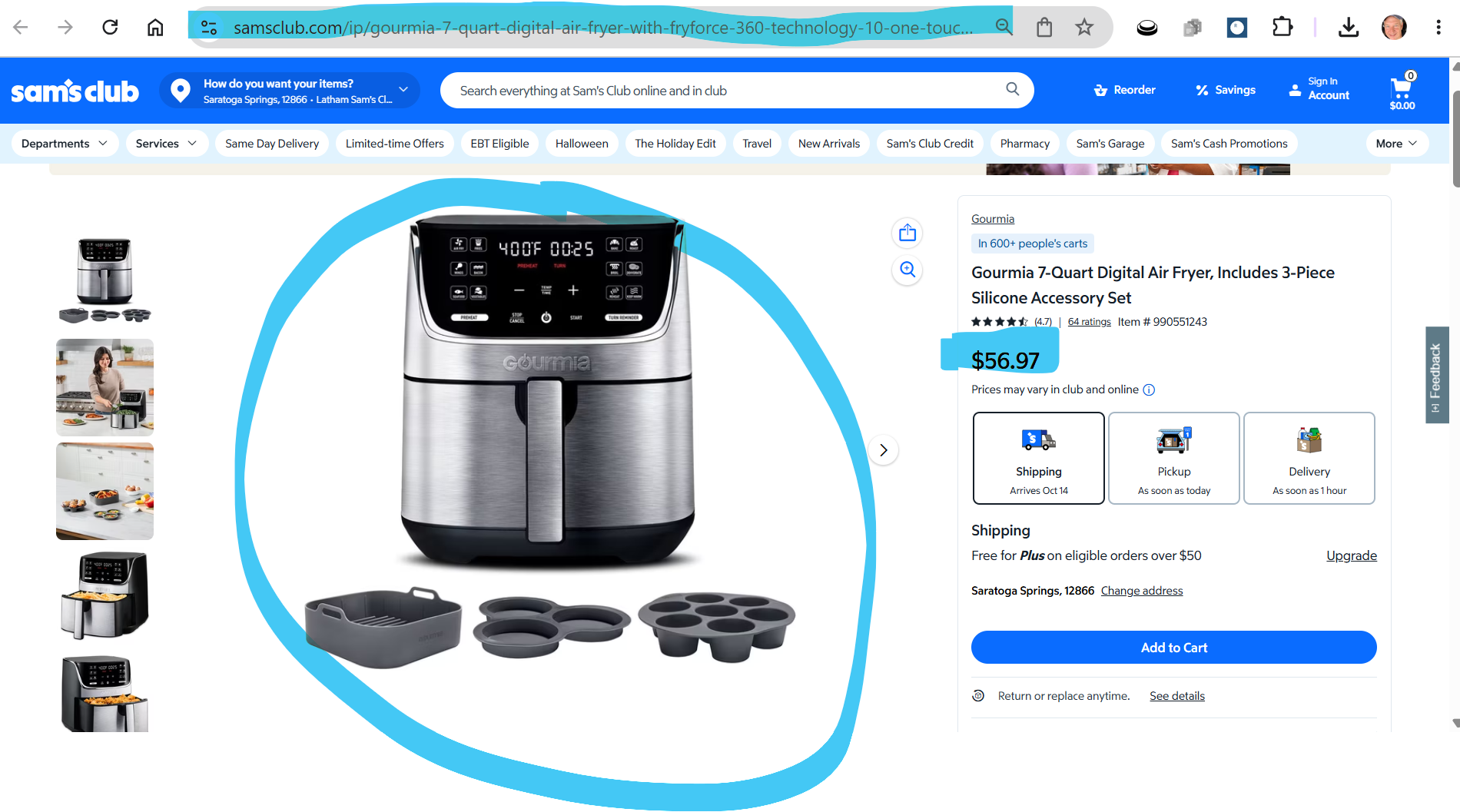
3. Paste any supporting notes or proof screenshots into the research notes field.
4. RR Wheel automatically calculates the FMV write-down and attaches your comps and documentation, creating an audit-ready paper trail for tax season.
4. Resolving Stuck Claim Slots
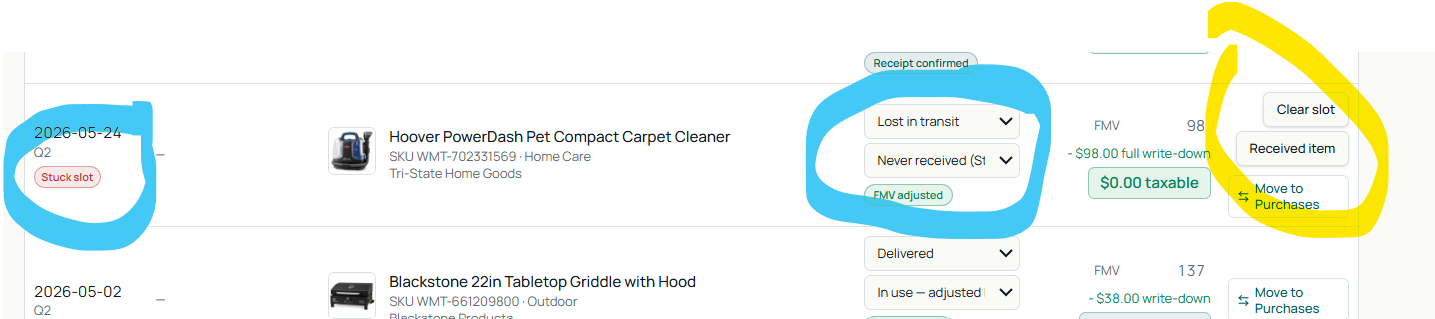
Review programs limit how many items you can request at one time. If an order is delayed, lost in transit, or cancelled by the seller, that claim slot can remain stuck indefinitely.
When a stuck-slot alert appears:
• Click the action dropdown on the claim.
• Select Received if the item did arrive and you are ready to review it.
• Select Clear slot if the order was cancelled, lost, or never received. This frees up your review slot immediately without creating unwarranted taxable income. NOTE: This only resolves the RR Wheel Ledger, not the actual stuck slot with Walmart
5. Sorting, Searching & Filtering
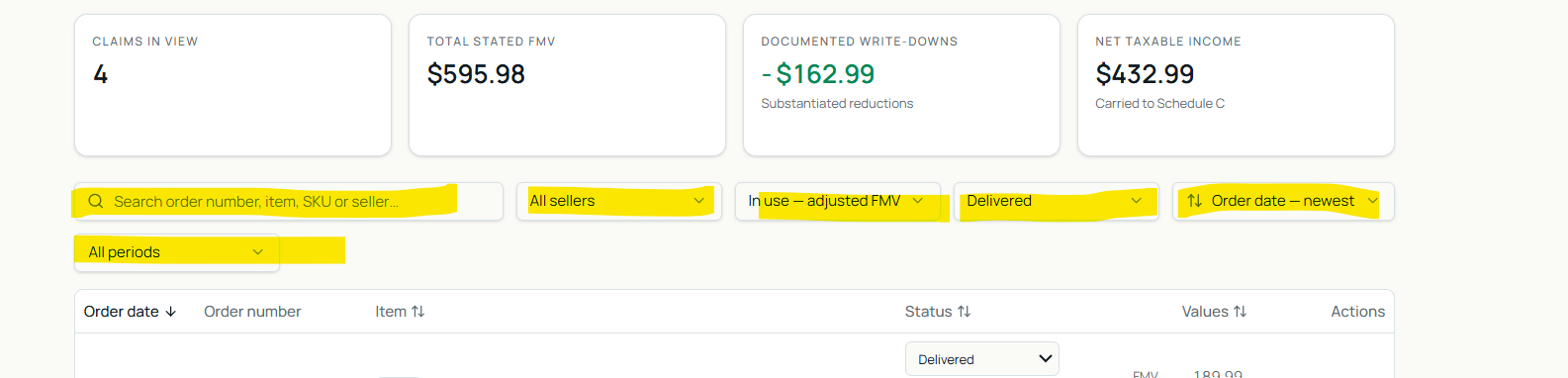
• Instant search: Type an order number or product name in the search bar to locate any claim in seconds.
• Sort options: Sort your ledger by date, stated value, or largest write-down to review high-value items first.
• Filter controls: Filter claims by year, calendar quarter, delivery status, or whether an FMV adjustment has been applied.
6. Taxes & Audit-Ready Export
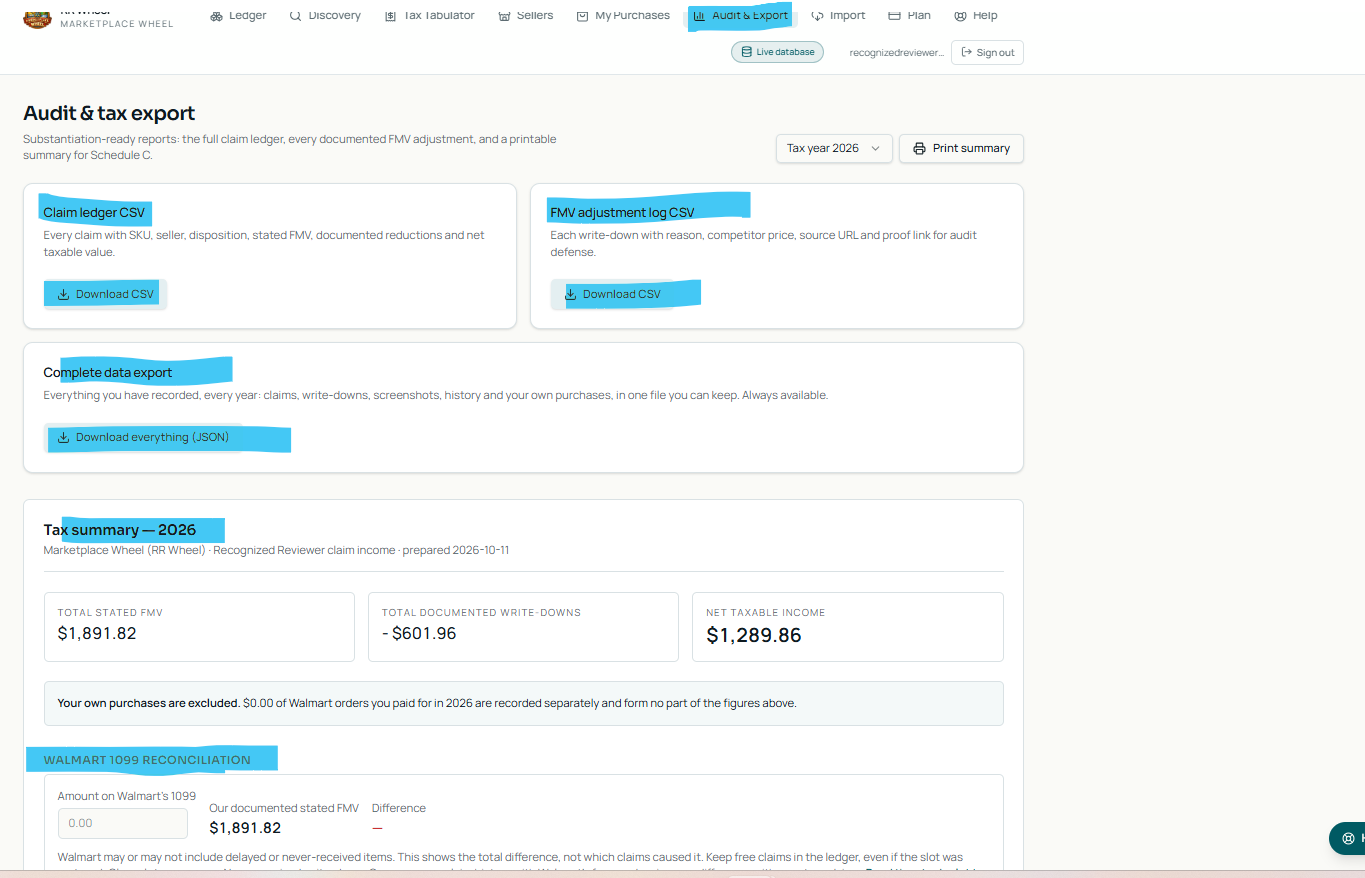
1. Click the Taxes tab in the top navigation.
2. Review your quarterly summaries (Q1–Q4) and annual tax totals:
• Gross Stated Value: Total initial value reported by Walmart.
• Total FMV Adjustments: Total write-downs substantiated by your comps.
• Net Estimated Value: The calculated total after your documented FMV adjustments, provided for recordkeeping and review with your tax professional.
3. Click Export CSV to download a clean, complete spreadsheet ready for your accountant, CPA, or tax preparation software.
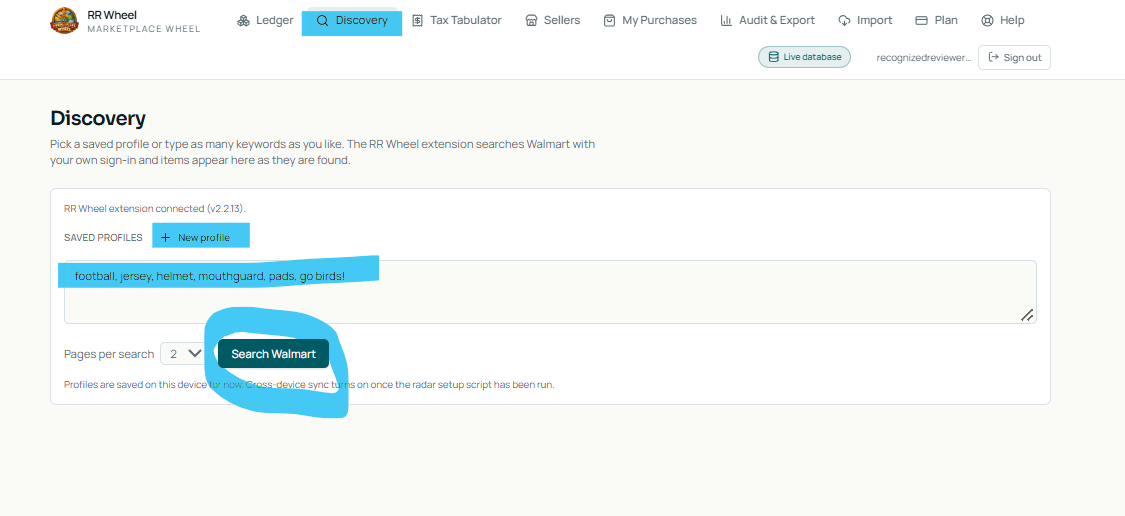
7. Discovery & Finding Claimable Items
1. Click the Discovery tab in the top navigation.
2. Use Discovery to spot claimable Recognized Reviewer items while browsing.
3. Set up custom keywords and filters to catch newly available items before slots fill up.
8. Help & Free Trial
• Need assistance? Click the Help tab or use the in-app support widget in the bottom-right corner of any page.
• 30-Day Free Trial: New accounts enjoy a full 30-day trial with unrestricted access to the ledger, FMV adjustments, and CSV tax exports.